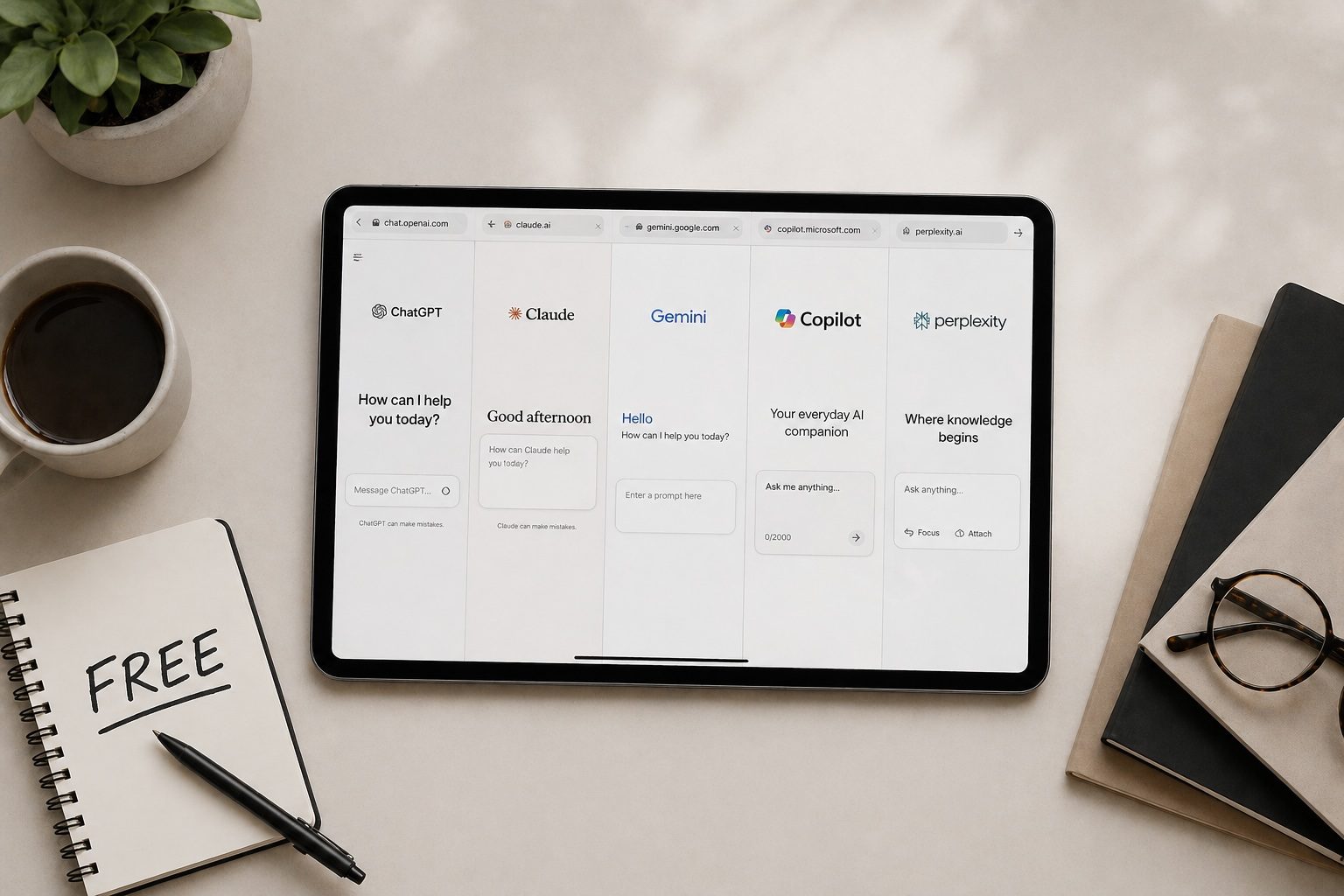
TL;DR: Eight AI tools let a single freelancer research, write, design, present, and deliver at the level of a small agency. Start with Claude and Canva ($35/month combined on paid tiers, both free to test). The rest fill specific gaps as your workload demands them. This guide covers what each tool replaces, what it costs, and where it falls short.
The Gap That Used to Be a Team
Freelancers have always competed with agencies on skill. The gap was never talent. It was capacity. An agency has a researcher, a copywriter, a designer, a project manager, and a social media coordinator. A freelancer has a laptop and a to-do list.
That gap defined what a solo operator could realistically take on. You could be brilliant at your craft, but the moment a project required a polished pitch deck, a competitive analysis, branded social content, and a voiceover for a product demo, you either spent your weekend doing work outside your skill set or told the client it was out of scope.
In 2026, eight AI tools close that gap. Not by making you an expert at everything, but by handling the execution layer of tasks that used to require separate people. You still bring the strategy, the client relationship, the taste, and the domain knowledge. The AI handles the production that used to slow you down or price you out.
The argument is not that AI replaces your expertise. It removes the operational ceiling that used to cap what one person could deliver.
1. Claude or ChatGPT: Your Thinking Partner
Every freelancer knows this feeling: you have four proposals to write, a client asking for revisions on yesterday's deliverable, a contract to review before signing, and a follow-up email you keep putting off because you cannot find the right tone. All of it is writing. None of it is the work you actually bill for.
Claude is the stronger choice for long-form writing, document analysis, and anything where nuance matters. Upload a 20-page client contract and ask it to summarise the termination clause, the payment terms, and anything unusual. Paste a rough proposal outline and get a structured first draft in two minutes that you then edit to sound like you. Draft five versions of a difficult client email and pick the one that strikes the right balance between firm and friendly.
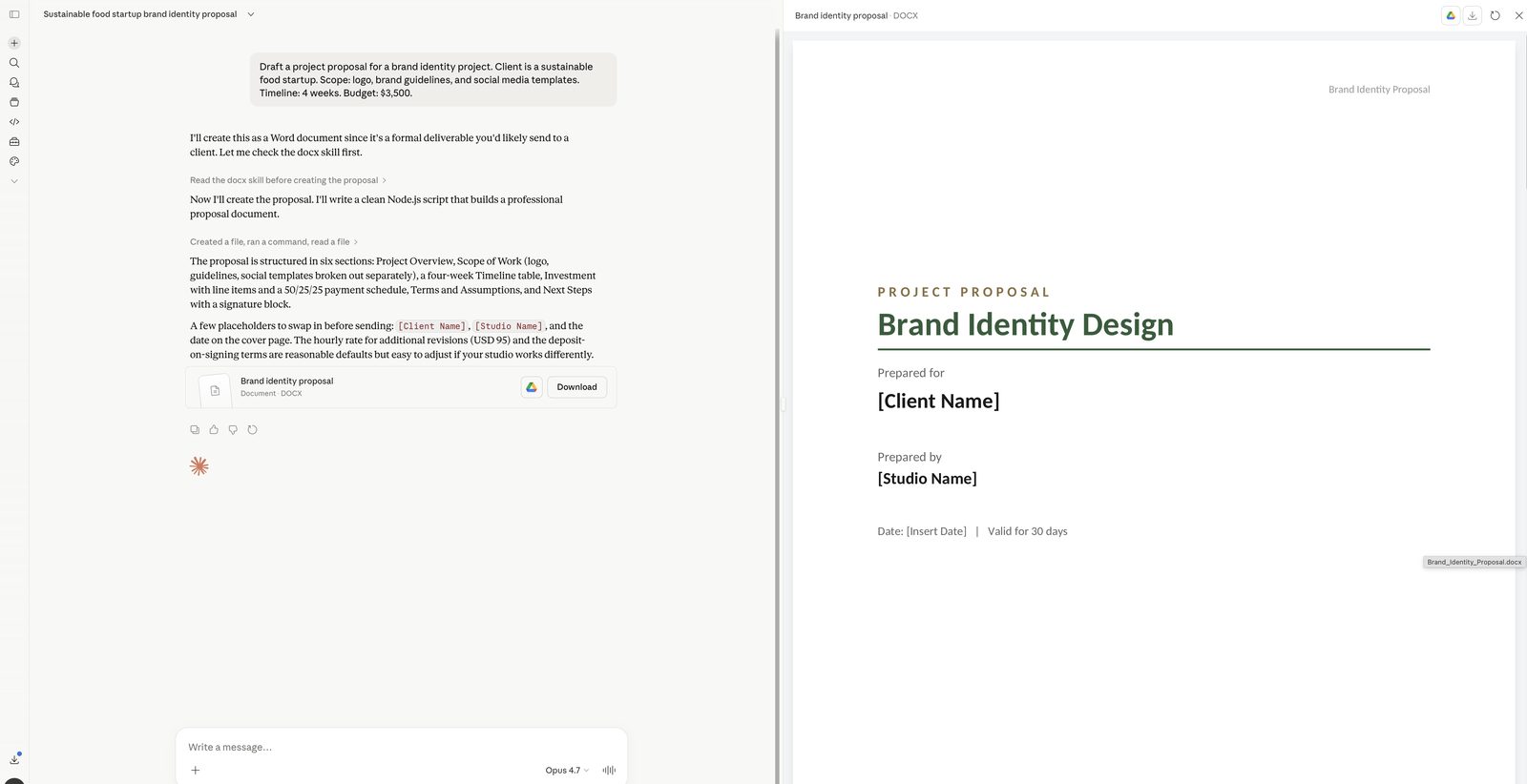
ChatGPT is more flexible if you need image generation built in or prefer a broader plugin ecosystem. Either works. Pick one and learn it properly.
What it costs: Both offer free tiers that handle light usage. Claude Pro and ChatGPT Plus each cost $20/month. For a freelancer billing $50-150/hour, the Pro subscription pays for itself the first time it saves you 15 minutes on a proposal.
Where it falls short: Neither tool knows your clients, your voice, or your business context until you teach it. Expect to spend your first two weeks building custom instructions and learning which prompts produce output you can actually use versus generic filler you have to rewrite from scratch.
2. Perplexity: Research Before Every Client Conversation
The worst version of a freelancer sales call is the one where the client asks about their industry and you have nothing specific to say. You did a quick Google search, skimmed their About page, and hoped that would be enough. It wasn't.
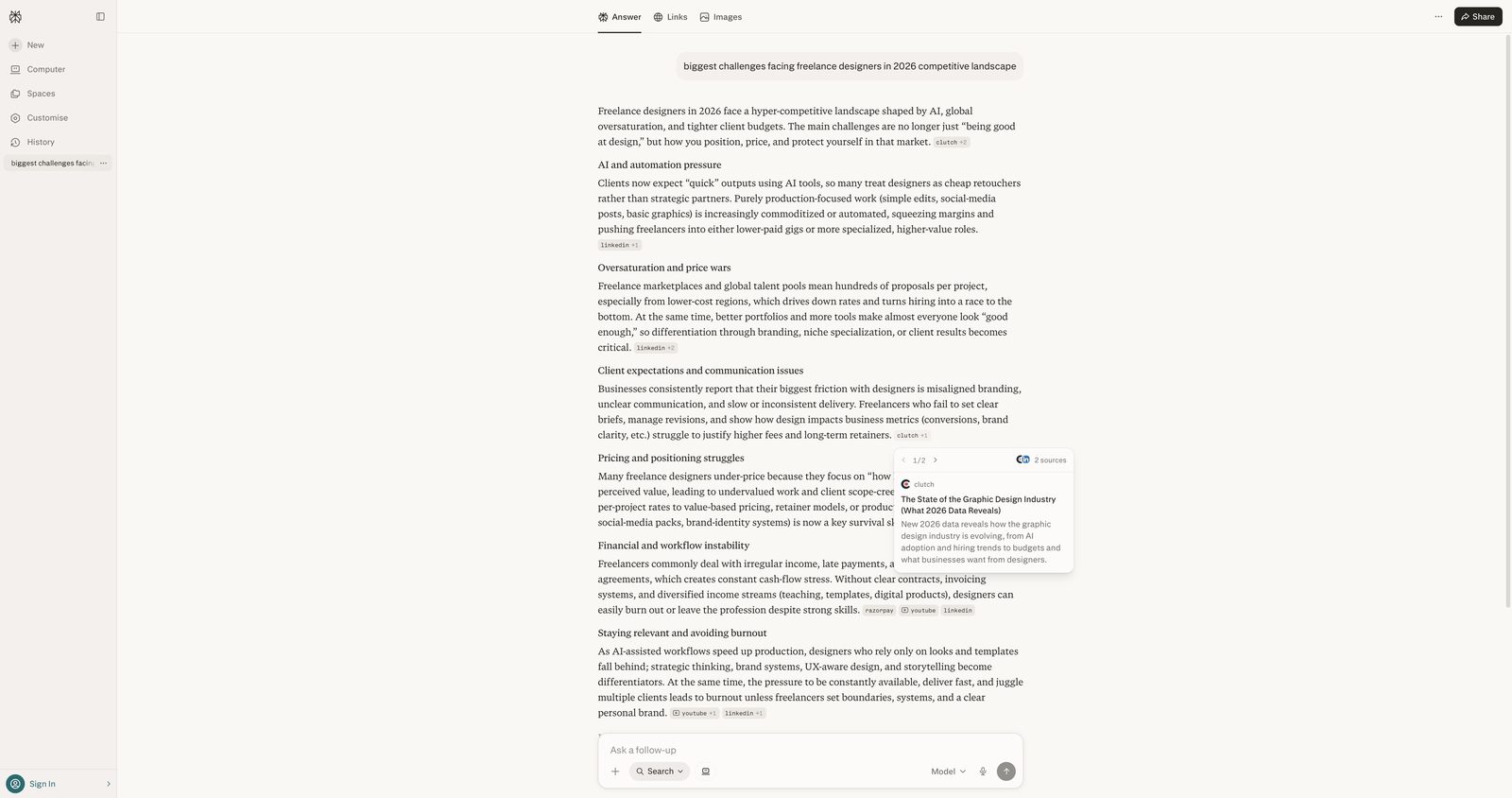
Perplexity compresses pre-call research from an hour to five minutes. Before a discovery call with a potential client, paste their company website URL into Perplexity and ask: "What are the biggest challenges facing this company's industry in 2026? What do their main competitors do differently? What recent news coverage have they received?" You get a cited summary with links to every source. You walk into that call sounding like you have been following their business for months.
The citation model is what makes Perplexity different from using Claude for research. Every claim links to a verifiable source. When you are preparing a proposal that includes market data or competitive intelligence, you can trace every number back to its origin. Clients notice when your proposals contain specific, sourced data instead of vague industry platitudes.
What it costs: The free tier handles most casual research. Perplexity Pro at $20/month adds multi-step deep research, file uploads, and premium AI models. If you submit more than two proposals a week, Pro pays for itself in time saved on research alone.
Where it falls short: Perplexity finds and synthesises information. It does not interpret what that information means for your specific client's situation. The strategic insight is yours to provide.
3. Notion AI: Where Your Freelance Business Lives
Freelancers lose work not because they lack skill, but because they lose track of things. The client who mentioned a budget increase three months ago and you forgot to follow up. The project scope that shifted during a call but never got documented. The SOP you wrote once and can never find again.
Notion AI gives your freelance business a single searchable home. Client databases, project trackers, meeting notes, templates, invoicing records, and SOPs all live in one workspace. The AI layer means you can ask questions across everything: "What did the Meridian client say about their Q3 budget?" and get an answer pulled directly from your own meeting notes.
For solo freelancers, Notion replaces the combination of Google Docs, Trello, a spreadsheet tracker, and the notes app on your phone where half your client details currently live.
What it costs: Free for individuals with basic features. The Plus plan at $10/month covers most solo needs but does not include AI. To get the AI search and writing features, you need the Business plan at $18/month. For a freelancer managing five or more active clients, the Business plan is worth the clarity it provides.
Where it falls short: Notion is flexible to the point of being overwhelming. You will spend your first week building a workspace structure before seeing productivity gains. Start with a simple client database and project tracker; add complexity only when you need it.
4. Canva AI: Design That Doesn't Look Like a Freelancer Made It
Freelancers who are not designers face a recurring problem: every client deliverable that requires a visual component looks noticeably worse than what an agency would produce. Proposals in Google Docs. Social content made in ten minutes. Presentation slides with misaligned text and stock photos from 2019.
Canva AI handles the 80% of design work that does not require a trained designer. The Magic Design feature generates layout options from a text description using your uploaded brand colours and fonts. Background removal, image generation, and template-based design cover most of what freelancers need for client-facing materials.
A practical example: you need to deliver a social media content package to a client. Open Canva, apply their brand kit, describe what you need ("Instagram carousel showing five benefits of their coaching programme"), and get three layout options in under a minute. Edit the copy, swap in their specific details, export. What used to take an hour of fumbling with design tools now takes fifteen minutes.
What it costs: The free tier handles basic social graphics. Canva Pro at $15/month adds brand kits, Magic Design, premium templates, and background removal. If you deliver any visual work to clients, Pro is the first paid upgrade worth making after Claude.
Where it falls short: Complex brand work, custom illustrations, and anything requiring precise creative direction still needs a human designer. Canva is for the routine visual work that does not justify hiring one.
5. Gamma: Pitch Decks Without the All-Nighter
The freelancer's pitch deck problem is specific: you need a professional-looking presentation for every new client opportunity, but spending four hours in PowerPoint for a project you might not win is a terrible use of time. So you reuse the same tired deck, swap out the client name, and hope nobody notices.
Gamma generates a complete slide deck from a text prompt in under two minutes. Describe your deck ("10-slide proposal for a brand strategy engagement covering discovery, competitive analysis, positioning, deliverables, timeline, and pricing") and Gamma produces a structured, visually clean starting point. You then replace the placeholder content with your actual thinking, adjust the narrative, and add the specifics that only you know.
The output is not ready to present without editing. But the structure and design are done, which means you spend twenty minutes refining instead of two hours building from scratch. For a freelancer who pitches three or four times a month, that time compounds fast.
What it costs: Free tier gives you 400 AI credits on signup, enough for roughly ten presentations. Gamma Plus at $10/month (or $8/month annually) removes branding and adds PowerPoint export. Worth the paid tier if you pitch regularly.
Where it falls short: Limited design flexibility compared to PowerPoint or Keynote. If a client's brand guidelines are strict, Gamma's templates may feel constraining.
6. ElevenLabs: Audio Without Hiring a Voice Artist
Some freelance projects require audio: a voiceover for a client's explainer video, narration for an e-learning module, a product demo with professional commentary. Hiring a voice artist costs $200-500 per session and takes three to five days to schedule, record, and receive final files. For a freelancer trying to deliver fast, that timeline kills momentum.
ElevenLabs turns text into natural-sounding voiceover in minutes. The voices carry realistic pacing, breath sounds, and tonal variation that earlier text-to-speech tools could not manage. For explainer videos, product demos, and internal training content, the quality is more than sufficient.
What it costs: The free tier gives you limited characters for testing. The Starter plan at $5/month covers light usage. The Creator plan at $22/month handles most production needs, including voice cloning if you want to use your own voice.
Where it falls short: AI voice works well for functional audio. For content where personality and human warmth matter (podcast hosting, brand storytelling, sales videos), a human voice still outperforms. Use ElevenLabs for the voiceover work that needs to be professional but not personal.
7. Otter.ai: Never Lose a Client Call Again
Every freelancer has been on a call where the client rattled off exactly what they wanted, you nodded along while scribbling partial notes, and then spent the next hour trying to reconstruct what they actually said. Then three weeks later, the client disputes the scope because their version of the conversation doesn't match yours.
Otter.ai records, transcribes, and summarises meetings automatically. It pulls out action items, assigns them, and lets you search across every conversation you have ever had with a client. When a client says "we discussed this on our March call," you can find the exact quote in seconds.
Here is what the workflow looks like in practice: a thirty-minute client call ends, and Otter has already generated a transcript and summary. You open the summary, copy the action items into your Notion project page, then paste the full transcript into Claude and ask: "Based on this call transcript, what are the three things the client cares about most, and what did they say that signals a concern they did not state directly?" Claude catches the subtext you might have missed while you were focused on taking notes. The transcript becomes raw material for a better proposal, not just a record of what was said.
What it costs: The free tier includes 300 transcription minutes per month and 30 minutes per conversation. That is roughly ten 30-minute client calls per month. If you are taking three or fewer calls a week, the free tier covers you. Once you consistently exceed that, or your calls regularly run past 30 minutes and get cut off mid-conversation, upgrade to Otter Pro at $16.99/month (or $8.33/month billed annually), which extends limits to 1,200 minutes per month and 90 minutes per conversation.
Where it falls short: The AI-generated summaries and action items are literal, not interpretive. Otter captures what the client said, but it does not understand what they meant in the context of your relationship. When a long-standing client says "we might want to revisit the timeline," Otter logs that as a neutral statement. You know it means the budget is under pressure and the project scope is about to change. The action items Otter generates are a starting point. You still need to read the transcript yourself and add the judgment layer that only comes from knowing the client.
8. Buffer: Your Personal Brand Works While You Sleep
Freelancers who post consistently on LinkedIn and X win more inbound leads than freelancers who don't. This is not a theory. Every freelancer who has built a visible personal brand will tell you the same thing: the clients who find you through your content are the easiest to close and the best to work with. The problem is that posting regularly while running a freelance business feels impossible. You batch-create content once, post for two weeks, then go silent for a month.
Buffer eliminates the execution friction. Spend ninety minutes once a week creating your posts (use Claude to draft them from a few bullet points, Canva to create the visuals), load them into Buffer, schedule the week, and forget about it. Three posts a week, every week, without thinking about social media again until next Monday.
What it costs: The free plan covers three channels with basic scheduling. The Essentials plan at $6/month per channel adds analytics and the AI assistant. A typical freelancer running LinkedIn and X pays $12/month.
Where it falls short: Buffer handles scheduling and light creation. It does not replace knowing what to say or who you are talking to. If you do not have a clear point of view in your niche, scheduling content faster does not help. Figure out your message first; Buffer makes the consistency possible.
How the Stack Works Together: Winning a Web Design Project
Here is what the full stack looks like in practice, end to end.
A potential client emails asking if you are available for a website redesign. Before replying, you open Perplexity and spend five minutes researching their company: recent funding round, three competitors' websites, industry trends. You reply with two specific observations about their current site and suggest a call.
On the call, Otter.ai records and transcribes everything. The client describes what they want, their timeline, and their budget range. After the call, you review the Otter summary, pull out the key requirements, and paste them into your Notion client database alongside the contact details and the discovery call notes.
That evening, you open Claude and paste in the Otter transcript along with the Perplexity research. You ask it to draft a project proposal covering scope, deliverables, timeline, and pricing. Claude produces a structured draft in three minutes. You spend fifteen minutes editing it to match your voice and adding the strategic framing that comes from your experience, not from AI.
You take that proposal and drop it into Gamma to generate a visual pitch deck. Ten slides, clean layout, your key arguments presented with structure. You edit each slide, replace the generic content with your specific recommendations, and export to PDF.
The client loves the deck and signs. During the project, you use Canva to create mockup presentations and social media templates as part of the deliverable. You use Notion to track milestones and share progress updates. When the project wraps, you use Claude to draft a case study, ElevenLabs to record a sixty-second video walkthrough narration, and Buffer to schedule the portfolio posts across LinkedIn and X.
Total time spent on non-billable production work across the entire project lifecycle: a fraction of what it would have taken twelve months ago. The strategic thinking, the client relationship, the design decisions? All yours. The operational work that used to eat your evenings? Handled.
What This Stack Actually Costs
Here is the full breakdown at paid rates:
| Tool | Plan | Monthly Cost |
|---|---|---|
| Claude | Pro | $20 |
| Perplexity | Pro | $20 |
| Notion | Business | $18 |
| Canva | Pro | $15 |
| Otter.ai | Pro (annual) | $8.33 |
| Buffer | Essentials (2 channels) | $12 |
| Gamma | Plus | $10 |
| ElevenLabs | Starter | $5 |
| Total | ~$108 |
That is the ceiling. Most freelancers spend $35-55/month by keeping the tools they use occasionally on free tiers and paying only for the two or three they rely on daily.
Compare that to the alternative. A freelance designer charges $50-200 for a single deliverable. A voiceover artist charges $200-500 per session. A virtual assistant costs $500-1,500/month. The tools cost less per month than any single one of those line items would cost per project.
Where to Start
If you only add one tool this week, add Claude. It covers the broadest range of freelancer tasks: proposal drafts, client emails, contract reviews, brainstorming sessions, and scope documents. The free tier is generous enough to test whether AI fits your workflow before spending anything.
Week two, add Canva. Together, Claude and Canva handle writing and visuals, which covers the two largest categories of non-billable freelancer work.
Week three, pick one more based on your specific bottleneck. If you pitch frequently, add Gamma. If you take a lot of client calls, add Otter.ai. If your proposals need competitive research, add Perplexity. If you need to build a personal brand, set up Buffer.
Do not sign up for all eight on the same day. The freelancers who get the most from AI are the ones who learned one tool well before adding the next. Go deep before you go wide.
For the small business version of this stack (where the priorities shift from solo delivery to team operations), see our guide to the best AI tools for small business in 2026.
Related guides:
- ChatGPT vs Claude 2026: Which AI Is Actually Better?
- Perplexity AI Review 2026
- Notion AI Review 2026
- Gamma AI Review 2026
- ElevenLabs Review 2026
- How to Make Money with AI in 2026