TL;DR: Notion AI is worth $10 per user per month if you already live in Notion. The real value is not the writing — it is the Q&A across your entire workspace and the AI Meeting Notes. For casual Notion users, stick with the free tier and pair it with Claude or ChatGPT. For heavy users, it pays for itself within a week.
How we tested this: Every tool covered in this article was evaluated hands-on by the TalentedAtAI team. We signed up for real accounts, tested core features against actual use cases, and assessed output quality, pricing accuracy, and workflow fit. Our verdicts are independent — affiliate relationships, where they exist, are disclosed and never influence our ratings.
There is a specific kind of frustration that comes from switching between five different AI tools to do work that all lives in one place. You write a draft in ChatGPT, paste it into Notion, realise you need to cross-reference a meeting note from last month, switch to Notion search, copy the relevant passage, paste it back into ChatGPT, ask a follow-up question, and by the time you are done, half the session has been spent on context-shuffling rather than thinking.
Notion AI is the most ambitious attempt so far to solve that problem by putting the AI inside the workspace where the content already lives. We tested it for several weeks across real work — meeting notes, project documentation, writing, research, and database automation — to answer the question that actually matters: is it worth the extra $10 per user per month in 2026?
What Notion AI Actually Is in 2026
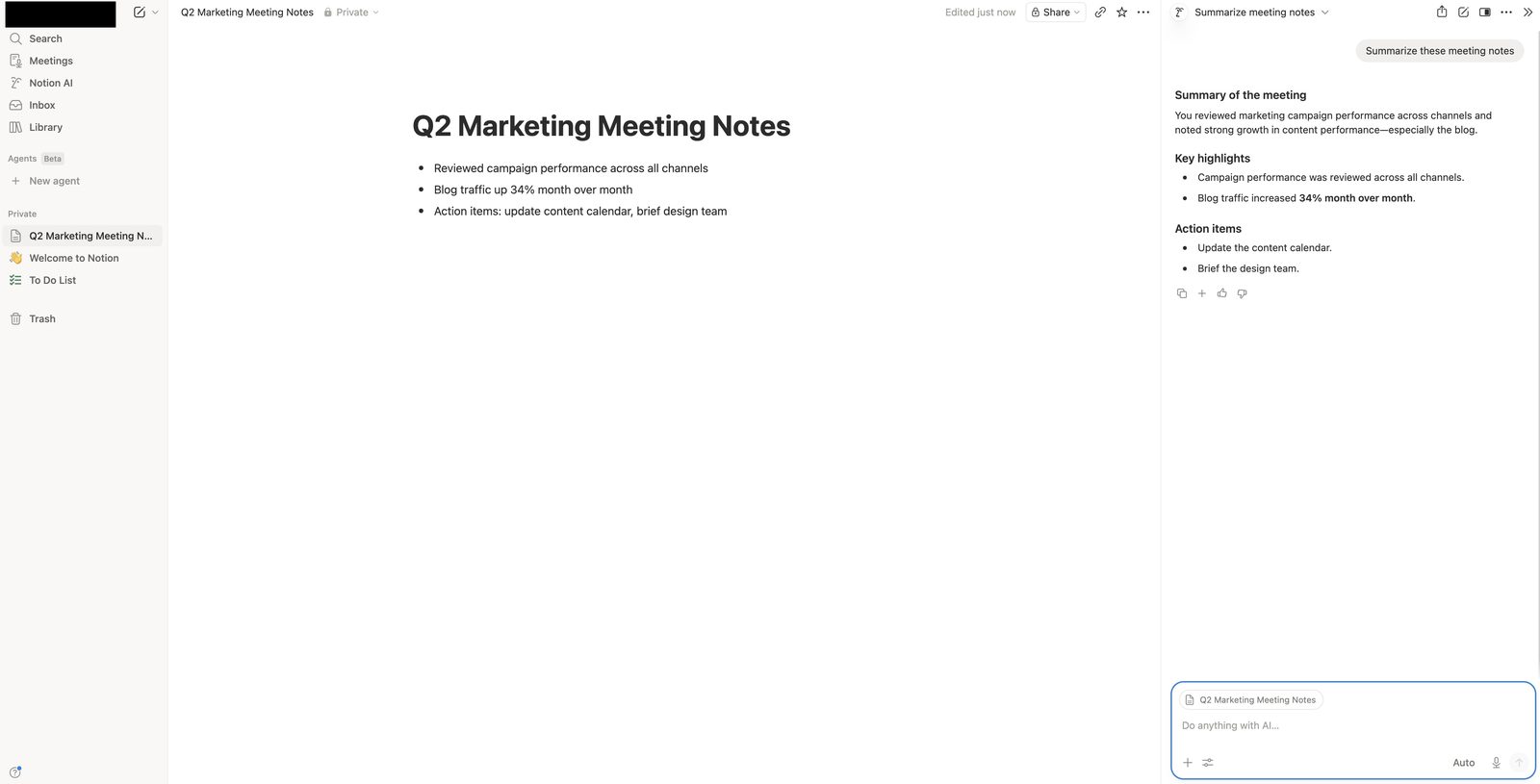
Notion AI is not a single feature. It is a set of AI capabilities layered across nearly every surface of the Notion product. Understanding what each one does — and what it does not — is essential before deciding whether to pay.
Q&A across your workspace is the headline feature and, for most users, the most valuable. Ask a natural language question and Notion searches your entire workspace, reads relevant pages, and produces an answer with links back to the source pages. "What did we decide about the pricing model in the March product review?" returns not a keyword-matched list but an actual answer with citations. For anyone with a Notion workspace containing meeting notes, project docs, or knowledge bases, this transforms how you retrieve information.
AI Meeting Notes records, transcribes, and summarises meetings directly inside a Notion page. It extracts action items, decisions, and key discussion points and formats them as a structured page you can immediately share. In 2026, this now works for both in-person audio and video calls across Zoom, Google Meet, and Microsoft Teams.
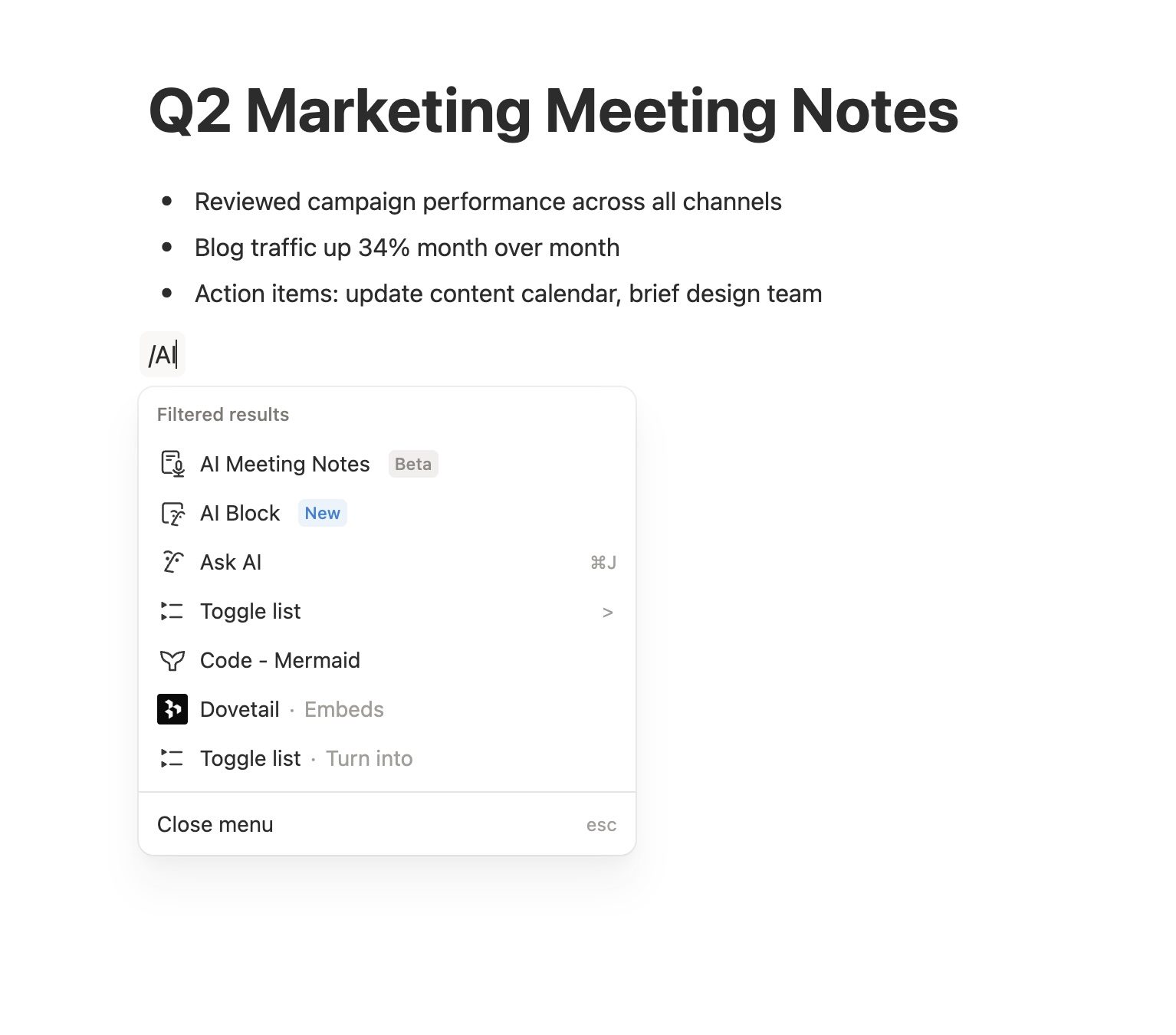
Writing and editing covers the expected capabilities — drafting, rewriting, summarising, translating, changing tone. You invoke it with the space bar on a new line or by highlighting text and selecting "Ask AI." The output is clean, contextually aware of the surrounding document, and matches Notion's formatting conventions automatically.
Autofill in databases is the least-discussed but surprisingly powerful feature. You can add an AI-powered property to any database that automatically fills in values — summaries of page contents, extracted tags, translated text, sentiment analysis — based on a prompt you define once. For content teams managing dozens of articles, product managers tracking feature requests, or researchers organising sources, this removes a category of manual tagging work entirely.
Enterprise Search (on Business and Enterprise tiers) extends Q&A across connected apps — Slack, Google Drive, GitHub, Linear, Jira. You ask a question and Notion searches across all of them, synthesising an answer that draws on all your work tools, not just Notion itself.
What We Tested and How
We ran Notion AI through four weeks of real use across a mid-sized workspace with around 600 pages, 12 databases, meeting notes going back two years, and active use by a small team. The workspace was not pristine — it was the usual mix of well-maintained project docs, half-finished drafts, outdated pages, and occasional duplication. That messiness matters, because it is what most real workspaces look like.
We tested each capability against two benchmarks: how well it worked in isolation, and how much time it saved compared to doing the same task with a separate AI tool.
Q&A performance was the standout. Asked "What are the unresolved concerns from the Q4 product planning?", Notion AI correctly identified three open threads across five different meeting notes and a planning doc, and linked to each source. We compared this to opening Notion search, skimming multiple pages, and assembling the answer manually — the AI version took 12 seconds; the manual version took closer to eight minutes. That is the difference that makes the subscription defensible by itself for any serious Notion user.
Accuracy was good but not perfect. In about one in ten queries, the AI pulled in content from pages that were technically related but not what we actually wanted, or missed a relevant page because the phrasing differed from our query. Citations make these mistakes catchable — you can always verify against the source — but they do happen.
AI Meeting Notes worked reliably on clean audio (a quiet room, a single speaker, or a small meeting with clear turn-taking). On chaotic calls with overlapping voices or heavy background noise, transcription quality dropped and summaries became less useful. The action item extraction was particularly good — catching commitments that might have been buried in a 45-minute discussion — but you still need to review and edit before sharing. Good enough to replace the "someone take notes" role for routine meetings; not good enough to be the only record for a high-stakes one.
Writing and editing was competent but not exceptional. The output is clean, on-brand for the document it lives in, and faster than opening a separate AI tool. But for anything requiring genuine craft — a long-form blog post, a nuanced strategy memo, a client-facing proposal — we consistently preferred Claude's output when comparing side by side. Notion AI is clearly tuned for speed and workspace consistency rather than maximum quality.
Autofill was the feature that genuinely surprised us. We set up an AI-summary property on a content database containing 40 articles and it populated all 40 summaries in under a minute, each accurate and formatted consistently. For workflows that involve repeated structured thinking about many items — tagging, categorising, summarising, extracting — this is a genuine productivity multiplier.
Enterprise Search we could only briefly test on a trial Business tier. When it worked, it was impressive — a question about a product decision pulled context from Slack, Linear, and Notion into a single coherent answer. When it did not, the failures were often connector-related (stale indexes, permission issues) rather than AI limitations.
Where Notion AI Is Genuinely Useful
Some tasks feel transformative. Others feel like features bolted onto a product where standalone AI tools are still better. Being specific about which is which is the whole point of a useful review.
Finding information across a large workspace is the clearest win. If you have two years of meeting notes, project docs, and team pages in Notion, the Q&A feature alone justifies the cost. It turns your workspace from an archive you dig through into a knowledge base you query. Teams with mature documentation benefit the most; teams with sparse Notion use get less value here.
Meeting documentation at scale is the second strongest use case. For teams running multiple internal meetings per week, the combination of automatic recording, transcription, and structured summary output saves hours per person per week. Over a month, the $10 subscription pays for itself many times over in recovered attention.
Routine writing inside documents — drafting a section, tightening a paragraph, rewriting for clarity — is where Notion AI's convenience beats separate tools. Not because the output is better, but because you stay in flow. For the 80% of writing that does not need to be perfect, this matters.
Database automation — summarising, tagging, categorising — is quietly powerful. If you have not used AI-powered database properties, the first time you set one up and watch a database auto-populate is a small revelation.
Translation inside documents is one of the under-appreciated features. Multilingual teams get immediate value from translating pages on demand without leaving Notion.
Where Notion AI Falls Short
Long-form creative writing is not Notion AI's strength. The output is functional but formulaic. For blog posts, strategy memos, or anything where voice and structure matter, drafting in Claude or ChatGPT and pasting into Notion still produces better results.
Deep analysis and reasoning is similarly weaker. Notion AI handles basic analytical tasks well, but for complex reasoning — evaluating trade-offs, working through multi-step arguments, comparing strategic options — dedicated tools with stronger reasoning models outperform it.
Coding is basic at best. Notion AI can generate small code snippets and explain code, but it is not a replacement for a proper coding assistant. For developers, it is not a reason to subscribe.
External knowledge retrieval is limited. Notion AI is excellent at what is in your workspace but cannot reliably answer questions about things outside it. For that, a research tool like Perplexity or a general assistant is still necessary. Our Perplexity AI review covers how to pair these.
The learning curve for prompting is steeper than it should be. The quality of Notion AI's output depends heavily on how you phrase your requests, and Notion's in-product guidance on this is minimal. Most users leave significant value on the table simply because they do not know how to ask.
Pricing: What You Actually Pay
Notion AI is priced as an add-on, not included in base Notion plans. In 2026 the pricing structure is:
Notion AI add-on: $10 per user per month billed monthly, or $8 per user per month billed annually. This includes unlimited Q&A, writing assistance, AI Meeting Notes, and database autofill. It is added on top of whatever Notion plan you are already paying for.
Base Notion plans: Free for individuals (with limited AI trial access), Plus at $12 per user per month, Business at $18 per user per month, Enterprise with custom pricing. Enterprise Search across connected apps is included on Business and Enterprise plans only.
The practical total: an individual on the Plus plan with Notion AI pays around $20 per user per month. A team on Business with AI pays around $26 per user per month. For reference, that is roughly the cost of a Claude Pro or ChatGPT Plus subscription — except bundled with your workspace rather than a separate tool.
Notion also offers a limited AI trial on the free tier, which is enough to evaluate whether the Q&A and Meeting Notes features deliver for your specific workspace before committing to paid. We strongly recommend running this trial with your real workspace rather than deciding based on demos.
Who Should Buy Notion AI
Buy it if you have an active Notion workspace with enough content for Q&A to be useful — roughly 100+ pages of real content as a rough threshold. You run or attend recurring meetings and want the summaries automated. You maintain databases that would benefit from AI-powered tagging or summarisation. You already pay for Notion and adding $10 per month is a marginal decision.
Buy it if you run a team. Multi-user workspaces get exponentially more value from Q&A and Enterprise Search because the shared knowledge base is larger. The time savings across a team of 10 easily clear the $100 per month cost.
Do not buy it if your Notion workspace is sparse — a few pages, not much history, occasional use. You will not hit the Q&A threshold where the feature pays for itself. Stick with the free tier's limited AI or pair plain Notion with a separate AI tool.
Do not buy it if your primary AI need is long-form writing, deep reasoning, or coding. Spend the $20 on Claude Pro or ChatGPT Plus instead — you will get more value for the same money. See our roundup of top AI tools for productivity in 2026 for context on how these tools compare across use cases.
Run the trial first. The AI trial on the free tier is the single most useful step in this decision. A week of real use tells you whether Notion AI fits your workspace better than any review can.
The Bigger Picture
Notion AI is an unusually direct illustration of a broader shift happening across productivity software in 2026. The question used to be: which AI tool should I buy? Increasingly, the question is: which of my existing tools should I turn AI on inside of?
Notion is betting that the answer is the tool where your content already lives. For workspaces with real content depth, that bet is convincing — the context-switching cost of using external AI against your own workspace is genuinely high, and eliminating it changes how you work. For workspaces with less content, the bet does not pay off yet. You are paying for AI capability you do not have enough material to use.
What makes Notion's position interesting is that the AI capability improves as your workspace grows. A team that uses Notion heavily over several years creates a compounding knowledge asset that Notion AI can interrogate in ways external tools simply cannot. That is the strategic argument for building documentation practice into your workflow regardless of AI — but Notion AI makes it immediately rewarding rather than a distant payoff. Notion has also been named among early customers of Claude Managed Agents, which suggests the roadmap here goes deeper than text generation — toward agents that can actually take actions on your workspace content.
The Verdict
Notion AI in 2026 is worth paying for if you already live in Notion. The Q&A feature alone is transformative for any workspace with real content depth. AI Meeting Notes pays for itself quickly for teams running recurring meetings. Database autofill is an underrated productivity multiplier. The writing features are competent rather than exceptional, and you will still want a dedicated writing AI for high-stakes output.
For individual casual users, the free tier's AI trial is enough to decide. Most will conclude that Notion AI is nice-to-have rather than essential. That is a fair outcome and does not mean the product is overpriced — it means it is priced for the users who get the most value from it, which is people whose work already revolves around Notion.
Start the trial. Spend a week asking questions of your own workspace. The decision almost always writes itself.