TL;DR: Gamma AI is the fastest way in 2026 to go from a prompt to a finished-looking presentation. Give it a topic or a document, wait under a minute, and you have a 10–15 slide deck that is 80% of the way to presentable. The remaining 20% — exact branding, final polish, precise data visualisation — still requires human editing or a handoff to PowerPoint. For founders, marketers, consultants, and students who need a structured first draft fast, it's the best AI presentation tool we tested. For anyone whose work demands pixel-perfect design, it's a solid starting point rather than a finishing one.
How we tested this: Every tool covered in this article was evaluated hands-on by the TalentedAtAI team. We signed up for real accounts, tested core features against actual use cases, and assessed output quality, pricing accuracy, and workflow fit. Our verdicts are independent — affiliate relationships, where they exist, are disclosed and never influence our ratings.
Every presentation tool promises to save you time. Most of them save you none, because the bottleneck in making a deck is not the software — it is the blank slide. Staring at an empty layout, trying to compress a 30-minute idea into seven bullet points, is the actual work. The templates and the animations and the smart guides are decoration around that problem, not a solution to it.
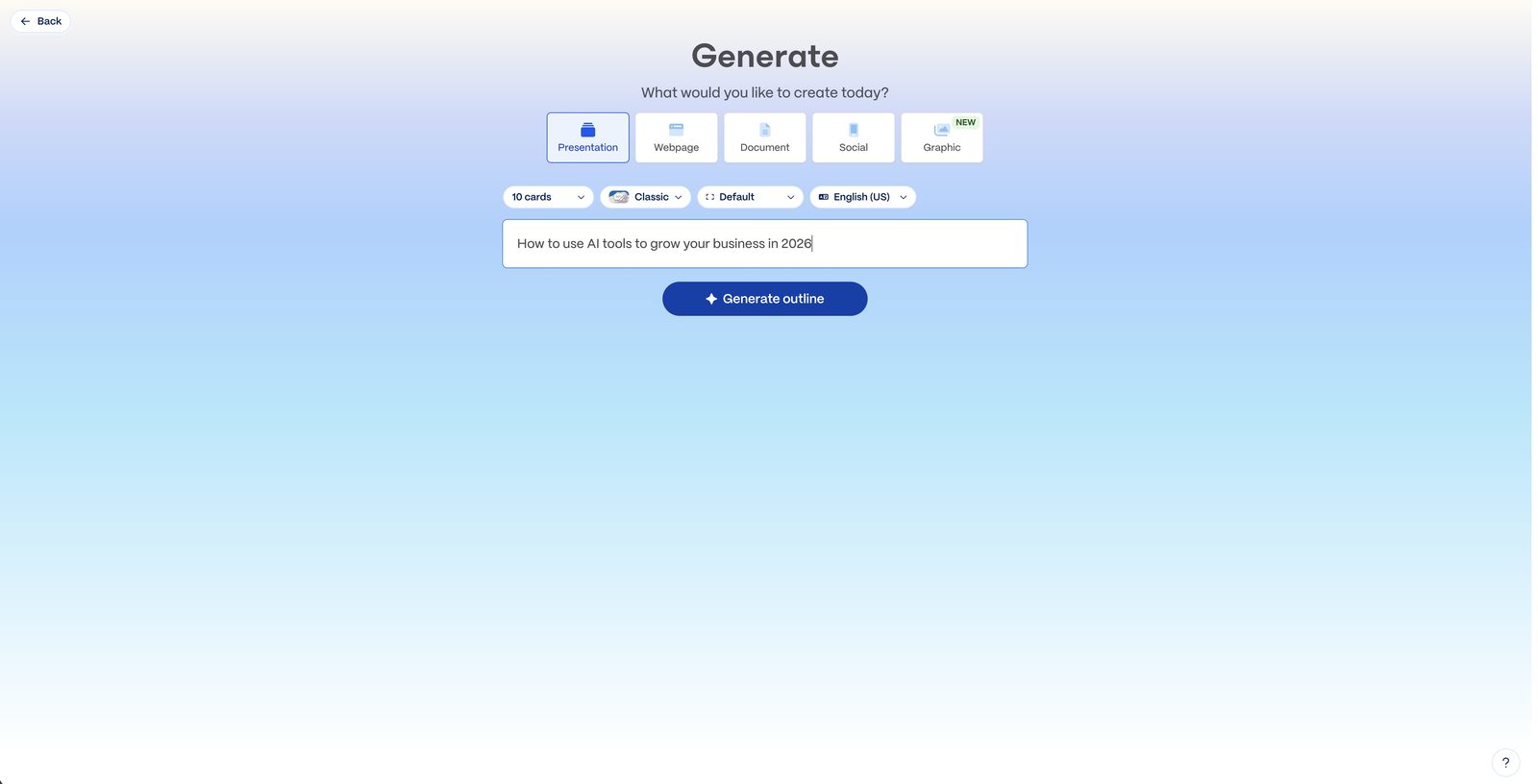
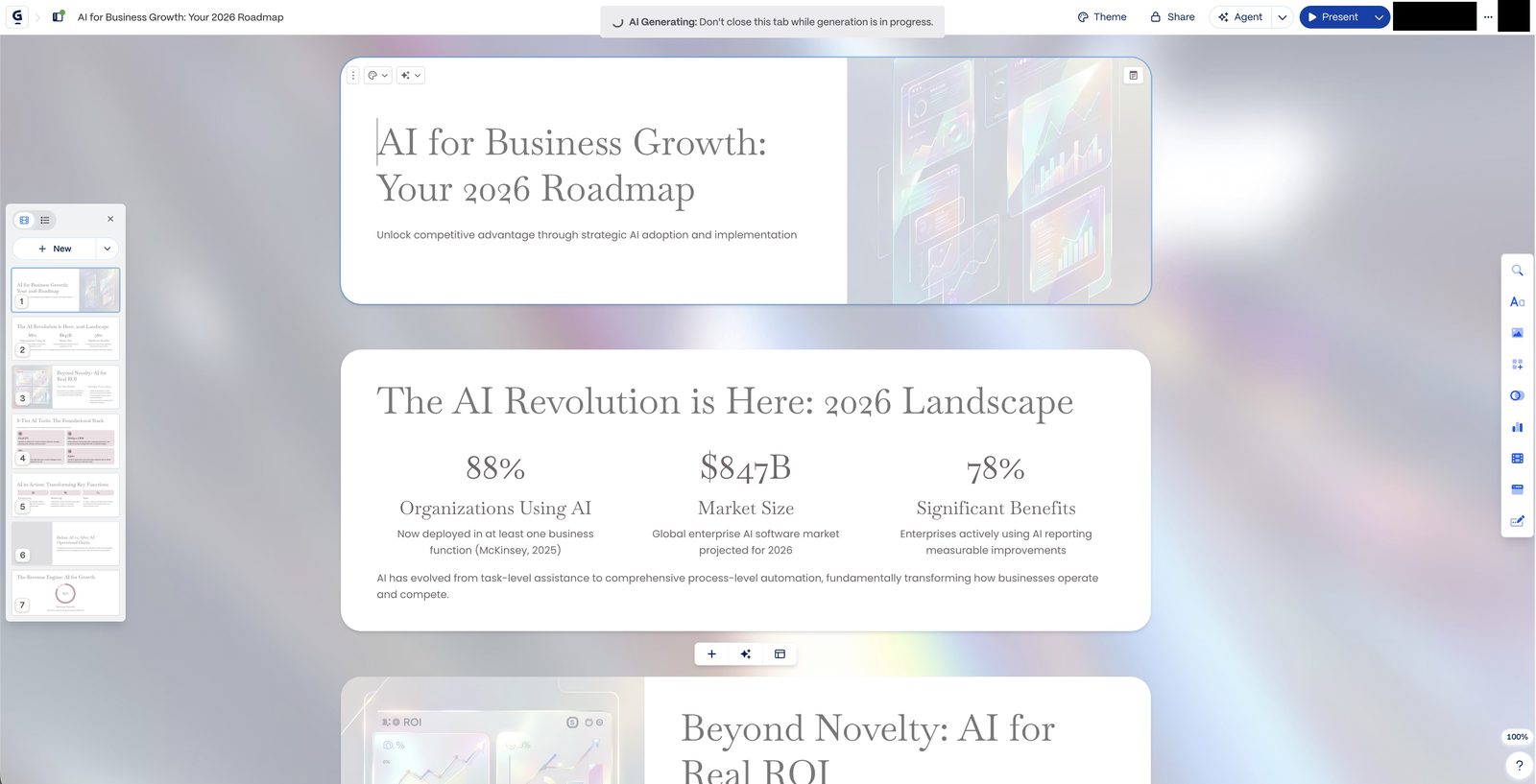
Gamma is the first tool we've used that meaningfully addresses the blank slide itself. You type a sentence — "a 10-slide investor deck for a B2B SaaS company doing AI compliance" — and about 45 seconds later you are looking at a deck. Not a template. Not a starting point. An actual deck, with words on it, in an order that makes sense, with images. It is jarring the first time. It remains slightly jarring the tenth.
Whether that jarring-ness translates into something worth paying for is the question we spent three weeks and 20 decks trying to answer.
What Gamma AI Actually Is
Gamma is a browser-based presentation tool built around generative AI. At its core it does three things: generates decks from a prompt, imports and restructures existing content (a doc, a pitch, a URL) into slide format, and lets you edit the output with both manual tools and AI prompts. The output lives on the web by default but exports cleanly to PowerPoint and PDF.
What separates it from a "PowerPoint with an AI button" is that the entire product is built around the generation flow. The interface is not a slide editor with AI bolted on; it is an AI workflow with a slide editor attached. Every new deck starts with a prompt or a document, and every slide is editable either by clicking directly or by asking the AI to change something.
The other thing worth noting: Gamma is not just for slide presentations. It produces three output formats — Presentations, Documents, and Web Pages — from the same underlying engine. Most users come for the decks and quietly start using the document and web-page output for internal memos and simple landing pages.
You can try Gamma free — the free tier includes 400 AI credits, enough to generate your first few decks from a prompt in under a minute.
Who Gamma Is Actually For
Reviews often get vague here, so let's be specific. We tested Gamma with four user profiles in mind.
Founders building pitch decks are the most obvious fit, and the user Gamma most clearly targets. For early-stage founders who need an investor deck, a sales deck, and a board update deck — all overlapping, all under constant revision — Gamma's ability to regenerate a structured 12-slide deck in under a minute is not marginally faster than the alternative; it's a different category of activity. We rebuilt a real fundraising deck three times over a week in Gamma to test different positioning, and each iteration took roughly 15 minutes of work instead of the usual afternoon.
Marketers producing client-facing decks are the second-clearest fit, particularly agency marketers building campaign decks, content plans, and proposals. Most of this work follows a predictable structure — situation, objectives, approach, deliverables, timeline — and Gamma handles that structure natively. Where it struggles is branded polish, which we'll get to.
Consultants and service businesses producing structured presentations at volume get the highest raw time return. If you're building weekly workshop decks, monthly status presentations, or onboarding documents for clients, the structural generation is worth the subscription by itself. Consultants who tried it with us said it replaced roughly 40% of the slide-building work they were previously outsourcing or doing late at night.
Students and educators are Gamma's quietly large user base. Lecture slides, group project decks, and thesis defence presentations all follow conventional structures that Gamma produces well, and the free tier is generous enough to cover a typical course load. If you're a student weighing this tool against Canva and PowerPoint, our best AI tools for students 2026 roundup puts Gamma in context alongside the other options worth your time.
Designers and brand-led teams are where Gamma is a less obvious fit. The output is clean and consistent but visually restrained — it won't produce the bespoke design that a professional designer wants to start from. For agencies where the deck itself is a portfolio piece, Gamma is not yet the right tool.
How to Create Your First Deck (4 Steps)
The workflow is genuinely simple enough to describe in four steps, which is part of why it's effective.
Step 1: Choose a starting point. From the Gamma home screen, you'll see three options: "Generate" (from a prompt), "Import" (from a file, Google Doc, or URL), or "Paste text." For a first deck, Generate is fastest. You'll be asked for a topic, audience, and tone, with sensible defaults.
Step 2: Write a prompt that does some of the work. This is the step that most affects the quality of the output. "A sales deck" will give you a generic sales deck. "A 12-slide sales deck for a mid-market accounting firm pitching our outsourced bookkeeping service, emphasising time savings and audit readiness, tone professional but warm" will give you something substantially closer to what you actually need. Five extra seconds of prompt effort is worth minutes of editing later.
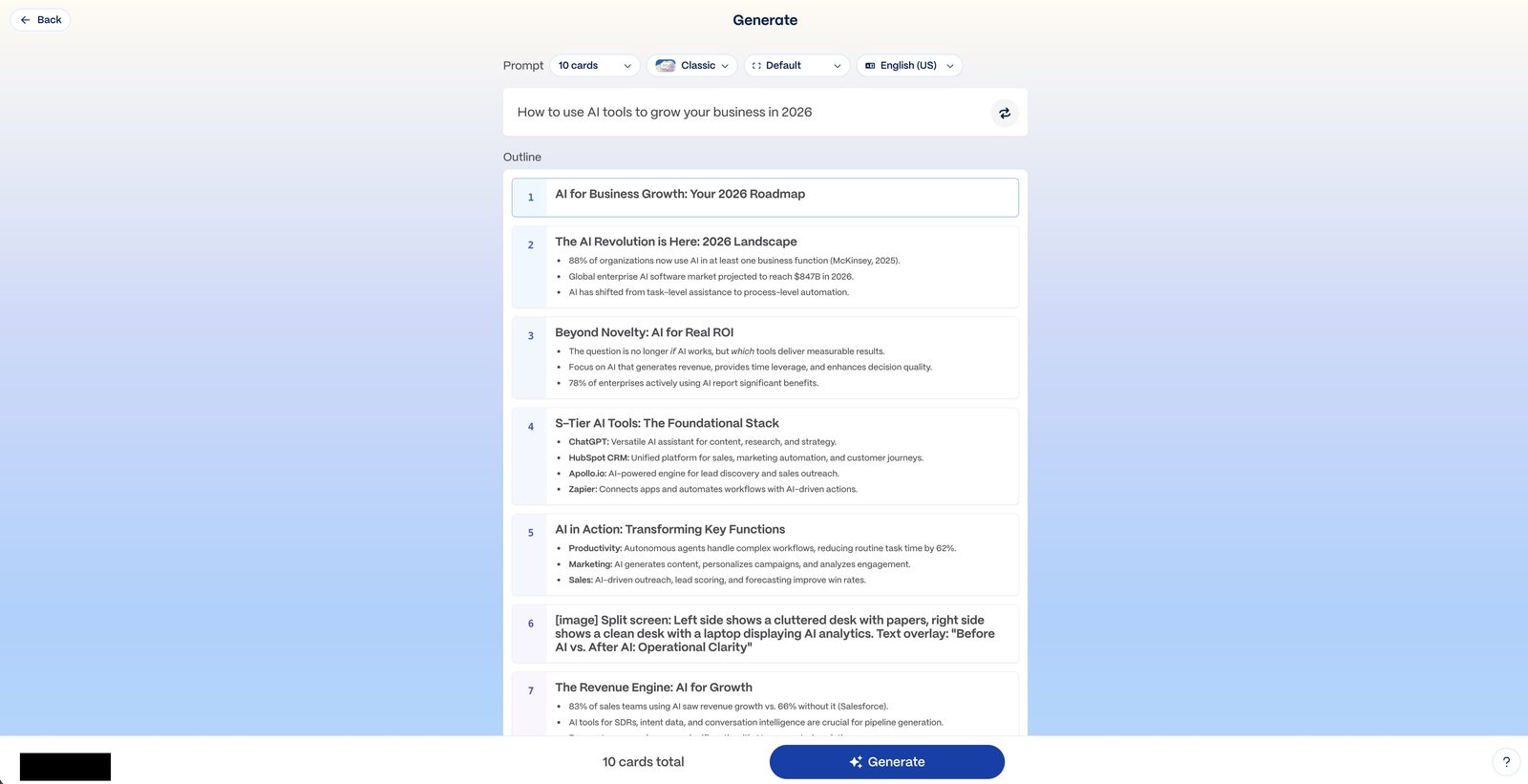
Step 3: Review the outline before the deck is generated. Gamma produces a slide-by-slide outline first, which you can edit, reorder, or regenerate before the full deck is built. This is the most under-used feature by new users and the biggest lever for getting a usable first draft. Edit the outline now; editing individual slides later is slower.
Step 4: Generate, then edit. The full deck appears in 30–60 seconds. From here you can edit any slide manually, ask the AI to rewrite a slide, regenerate images, change the theme, or export. Most decks we made reached 80% presentable within five minutes of editing. The remaining 20% — brand colours, exact wording, data charts — was the longer tail.
What Gamma Does Well
Three things stand out after 20 decks.
Speed from zero to structured. The gap between "I need a deck" and "I have a deck" has meaningfully collapsed. A pitch deck, a client proposal, a workshop structure, a project update — all take 30–45 minutes end-to-end instead of half a day. This matters most for people who produce decks regularly and whose decks follow recognisable structures, which is a larger population than the industry tends to acknowledge.
Content density on the right side of the slide-versus-document line. Gamma decks tend to land at the right level of text density for presentations — not the dense walls of bullets that are the most common failure mode of AI-generated slides, nor the one-word-per-slide minimalism that only works with a charismatic presenter. The default output is roughly three to five lines per slide of useful content, which is where most business decks should live.
Iteration speed is the hidden value. The feature we didn't initially appreciate was the ability to regenerate a deck with a modified prompt. Changing "investor deck" to "board update deck" and regenerating produces an appropriately different deck in under a minute. For anyone who builds multiple versions of the same content for different audiences — which is most marketing and consulting work — this compounds.
Document and web-page output are useful surprises. Several people we spoke to used Gamma mostly for internal documents and simple shareable web pages, not presentations. The same generation engine produces clean, readable one-page documents and landing-page-style web pages with the same speed. It's not replacing Notion or Webflow, but for one-off shareable outputs, it's surprisingly good.
Export quality to PowerPoint is better than expected. The .pptx export is roughly 90% faithful to what you see in Gamma, with complex cards occasionally needing minor text wrapping fixes once opened in PowerPoint — fixable in a few minutes rather than a rebuild.
Where Gamma Falls Short
Design sophistication has a ceiling. Gamma's output is consistently clean but consistently within a narrow design vocabulary. The themes are tasteful and well-engineered, but they all feel like Gamma themes. For marketing agencies and brand-led companies where the deck itself carries brand signal, this is a real limitation. Custom fonts are Pro-tier only, and even then the design system doesn't extend to the bespoke layouts that professional designers typically want.
Data visualisation is weak. If your deck relies on custom charts, complex data dashboards, or specific visualisations of numbers, Gamma's built-in chart generation is basic. It handles simple bar and line charts adequately; for anything more, you'll end up pasting in images from Excel or Tableau, which partially defeats the purpose. This is the single biggest gap for consultants and analysts.
Brand kit discipline is still maturing. Gamma has added brand colour and logo support, but compared to tools like Beautiful.ai, the brand kit doesn't enforce consistency across regenerated decks as strictly as some teams want. A marketing team producing 50 decks a month for client delivery will spend meaningful time policing brand consistency that a more disciplined tool would handle automatically.
AI edits can be unpredictable on existing decks. Asking the AI to "make this slide more concise" or "change the tone to more formal" sometimes produces exactly what you want and sometimes produces something worse than the original. Gamma is better at generating than re-editing, and the gap is noticeable once you've made a deck you're happy with and then try to refine it incrementally.
The free tier is evaluation-only for professional use. Shared decks carry a "Made with Gamma" watermark, and PowerPoint and PDF export are paid features, which together mean the free tier is effectively for personal use and platform evaluation rather than real client delivery. Any professional use realistically requires the Plus plan, which is priced reasonably but is a real line to cross.
Pricing: What You Actually Pay
Gamma's pricing is structured around AI credits and export features.
Free: 400 one-time AI credits on signup (enough for roughly 4–6 generated decks) plus a smaller ongoing credit allowance. Web sharing is enabled and shared decks carry a "Made with Gamma" watermark. PowerPoint and PDF export are not included on the free tier — file export is a paid feature that unlocks from Plus onward. No custom fonts. This tier is enough to evaluate the tool thoroughly before deciding whether to upgrade.
Plus ($8/user/month annual, $12 monthly): Removes the watermark, significantly increases AI credit limits, unlocks PowerPoint and PDF export, and opens up most template features. For individuals and small teams producing more than a deck or two a month, this is the tier that makes Gamma a workable production tool.
Pro ($15/user/month annual, $25 monthly): Custom fonts, advanced analytics on shared decks, larger AI credit limits, and priority rendering. For agencies, consultants, and teams where brand-consistent decks are the output, this is the tier that makes Gamma competitive with a designed PowerPoint workflow.
Ultra ($90/user/month annual, $100 monthly): Aimed at high-volume users who need the most advanced AI models, the largest credit ceilings, and priority generation throughput. Relevant for a small subset of heavy-deck producers and agencies; most readers will never need it.
Enterprise: Custom pricing, with SSO, admin controls, and dedicated support. Relevant only for larger organisations with procurement processes around software.
The practical reality for most users is that the free tier is enough to decide, Plus is enough for the vast majority of real work, and Pro is worth considering only once you've established that you're producing brand-facing decks regularly. We'd suggest spending two weeks on the free tier before upgrading.
Gamma vs Tome vs Beautiful.ai vs Canva AI
The AI presentation category has consolidated around four tools worth comparing. Each is built with a slightly different philosophy, and the right pick depends on which philosophy matches your work.
| Gamma | Tome | Beautiful.ai | Canva AI | |
|---|---|---|---|---|
| Core strength | Fastest prompt-to-deck, structured output | Visual storytelling, editorial feel | Template discipline, brand consistency | Design polish, massive asset library |
| Best for | Founders, marketers, consultants, students | Storytellers, product teams, creative pitches | Corporate teams, brand-led agencies | Designers, social-heavy teams, education |
| Weakest at | Bespoke design, complex data viz | Speed, structural density | Generative flexibility | Structural generation from prompt |
| Free tier | 400 AI credits, web sharing with watermark, no PPTX/PDF export | Limited AI generations | Basic templates, limited export | Generous free tier, limited AI features |
| Paid entry price | $8/user/month annual (Plus) | $10/user/month | $12/user/month | $15/month (Pro) |
| Export to PowerPoint | Paid only (Plus+), ~90% fidelity | Yes, limited fidelity | Yes, strong fidelity | Yes, good fidelity |
| AI prompt quality | Strong — full outline before generation | Strong visual, weaker structure | Weak compared to generative tools | Weak for decks, strong for graphics |
| Learning curve | Very low | Low | Moderate | Low for design, higher for AI |
Two practical observations. First, Gamma and Canva AI are often compared but are actually complementary — Gamma is the structural and textual generator, Canva is the design and asset polish. Several teams we spoke to use both. Second, Beautiful.ai remains the strongest choice if brand enforcement matters more than generation speed — it just requires a different workflow.
If you're evaluating Gamma specifically against Canva, the short version: Gamma will give you a better first draft of a content-heavy deck in less time. Canva will give you a more design-polished final deck but requires more manual assembly. Choose based on where your bottleneck actually is.
What We Used It For (Real Decks)
Across the 20 decks we built for this review, the breakdown was roughly:
A Series A fundraising deck, a partner update deck, and a board summary deck for three different portfolio companies. A content marketing strategy deck for a client engagement. Three workshop decks for internal training sessions. Four lecture decks for an academic course. A company all-hands deck. A vendor pitch deck. A product launch deck. A conference talk outline. Three client proposals for a consulting engagement, and a quarterly review.
The through-line across all of them was that Gamma cut the "first 80%" time by roughly 70–80%, and had little effect on the "last 20%" polish time. That distribution is actually ideal — the first 80% is the frustrating part, and the last 20% is the part where human judgement is actually adding value. If you're used to the reverse (moving a logo three times, re-aligning a grid, fighting PowerPoint's default spacing), Gamma moves your time to the part of deck-making that's actually worth your time.
For marketers specifically, this changes the economics of content production enough that it's worth thinking about alongside the broader AI content marketing shift — see our guide to using AI for content marketing for how presentation generation fits into the wider picture.
The Verdict
Gamma in 2026 is the best AI presentation tool we tested, and the one we'd recommend first to anyone whose current bottleneck is getting from nothing to a first draft. The generation quality is strong, the interface is refreshingly simple, the export to PowerPoint is reliable, and the pricing is fair. For founders, marketers, consultants, and students — the four profiles this tool most clearly serves — it's a near-obvious subscription once you've gotten past the free tier.
The honest caveats are real but narrow. Gamma is not a design tool, and you should not expect it to replace one if your work depends on bespoke visual design. It is not a data visualisation tool, and for chart-heavy decks you'll still want to bring images in from elsewhere. And it is not a replacement for the final polish that a human editor brings to a high-stakes deck — a Series B pitch, a board-deciding proposal, a keynote — where the last 20% matters disproportionately.
What it is, unambiguously, is the fastest way to convert an idea into a structured, presentable deck in 2026. That alone is worth the subscription for anyone who makes more than two or three decks a month, which is more people than you'd think.
For context on how Gamma fits alongside the rest of an AI workflow — writing, research, documentation, automation — our roundup of top AI tools for productivity in 2026 places it in the broader stack. For most people reading this, Gamma is the new "deck layer" of that stack, sitting next to Claude or ChatGPT for drafting and Notion for documentation.
✨ Try Gamma Free
Build your first AI-generated deck in under a minute. Free tier includes 400 AI credits — enough to make 4–6 full presentations.
Start Free on Gamma →Start with the free tier. Build three decks across the types of work you actually do — not a test deck, real ones. If by the end of that exercise you've saved more than an hour, the $8/month (annual) Plus plan pays for itself in the first week. If you haven't, the tool probably isn't solving the bottleneck you have. That test, run with your own work, is worth more than any review.